
XenCenter for XCP-ng and XenServer, written in PHP
Pools, servers, VMs, storage and networks in one window: the VNC console, live graphs, snapshots and live migration. On your desktop or in your browser.
Open the app →No server? Click “Open the demo pool” on the app’s home page.
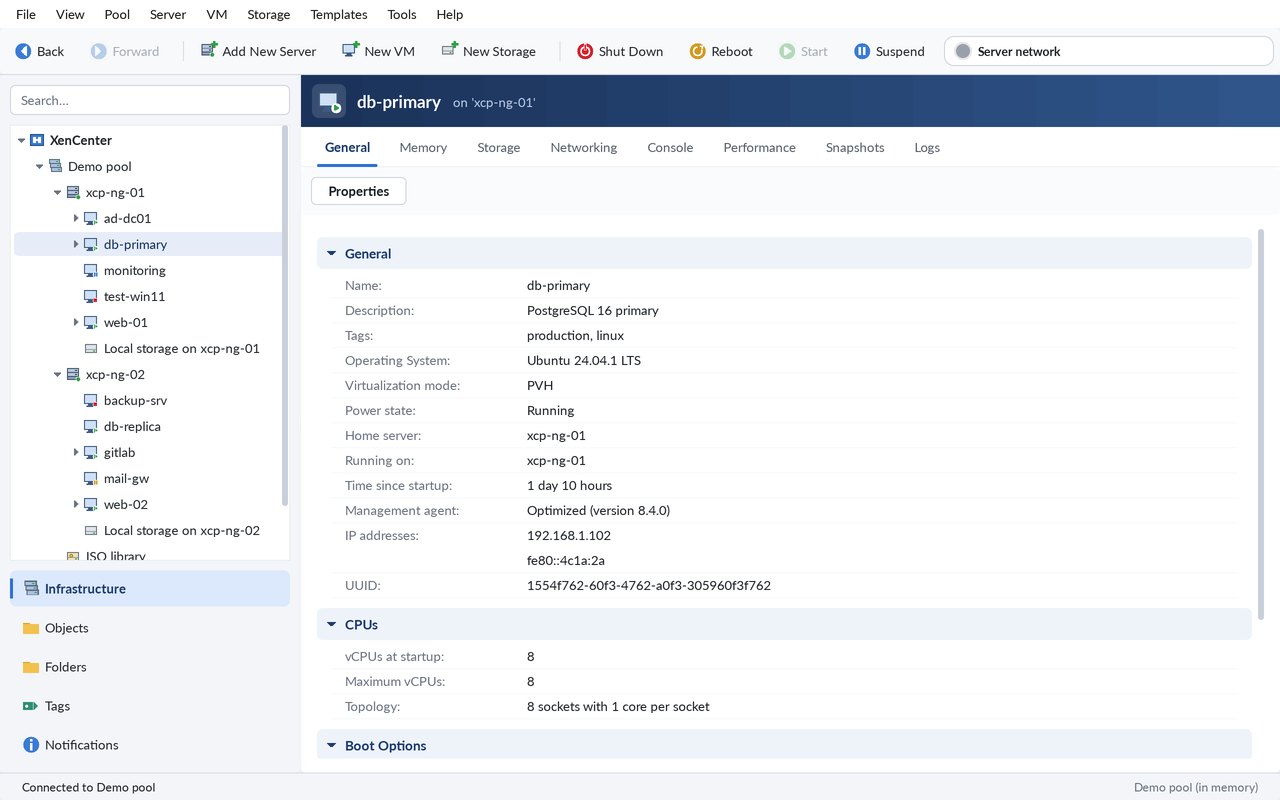
Everything you need to run a pool
Pools, servers, VMs, storage and networks in one window: the VNC console, live graphs, snapshots and live migration. On your desktop or in your browser.
Resource tree
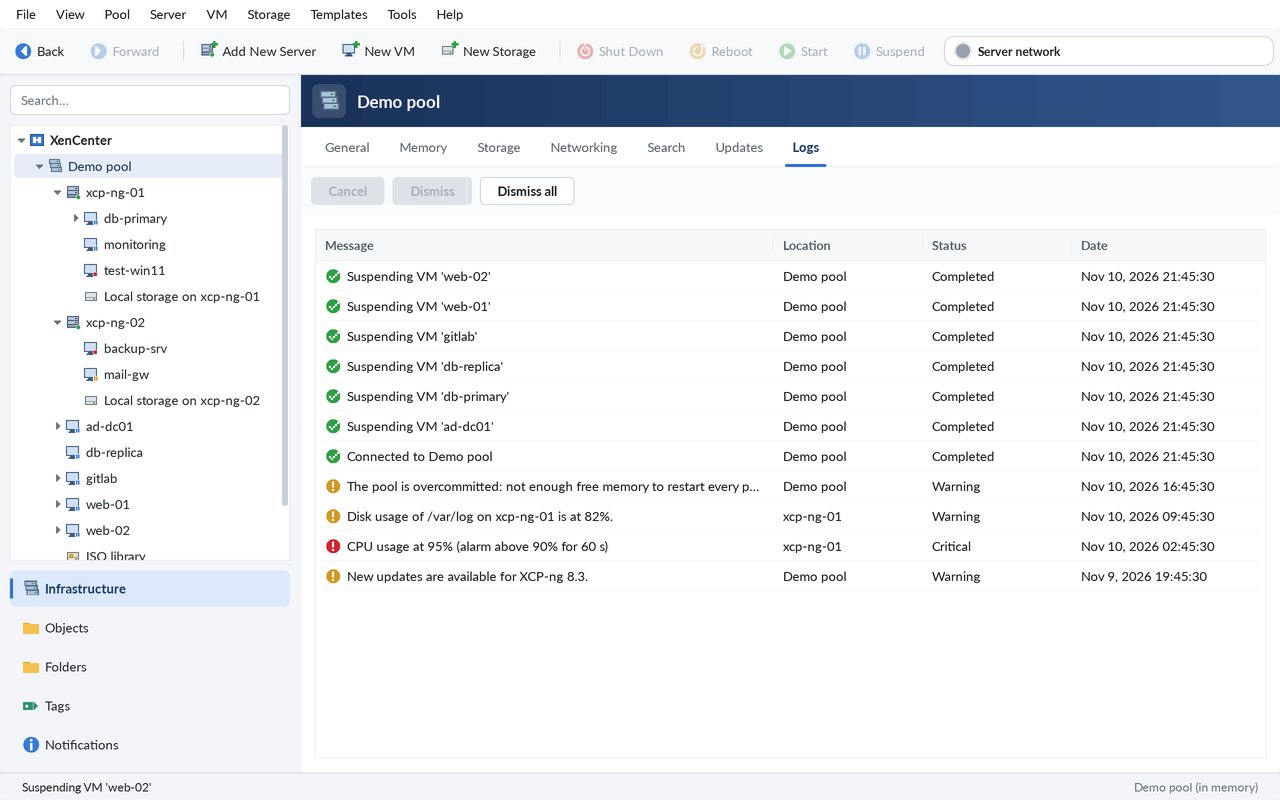
Pools, servers, VMs, storage and networks in one tree, with the Infrastructure, Objects and Notifications views and a search box.
All the tabs
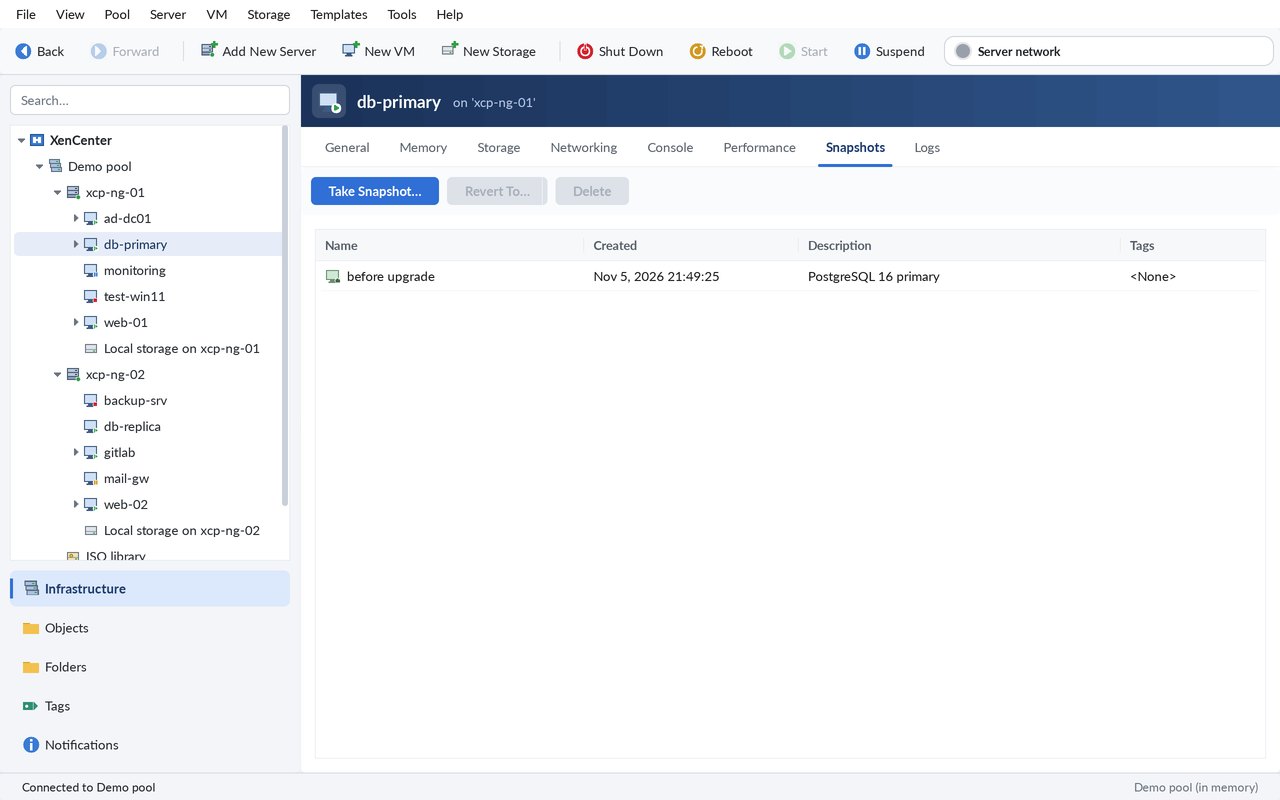
General, Memory, Storage, Networking, NICs, Snapshots, Search and Logs: every detail of every object.
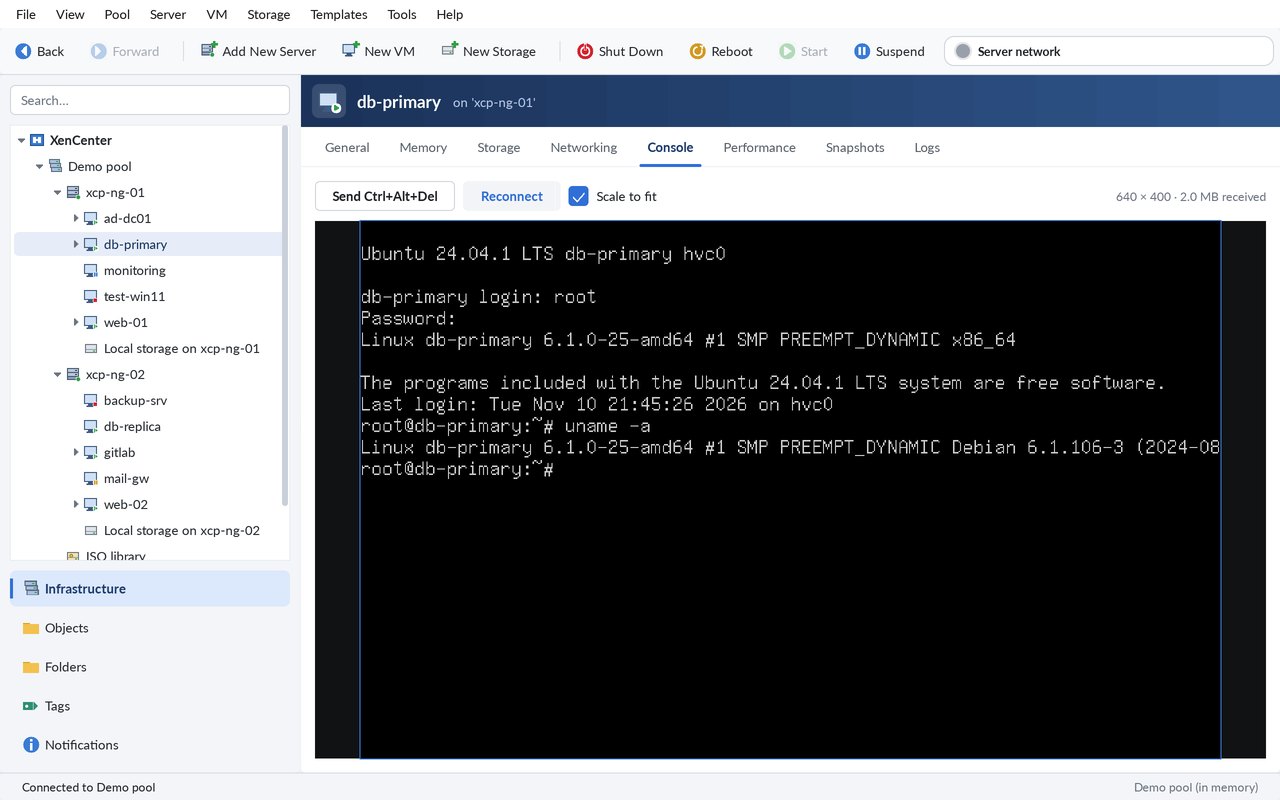
A real console
A VNC client written in PHP: the screen of the VM, with its keyboard and mouse.
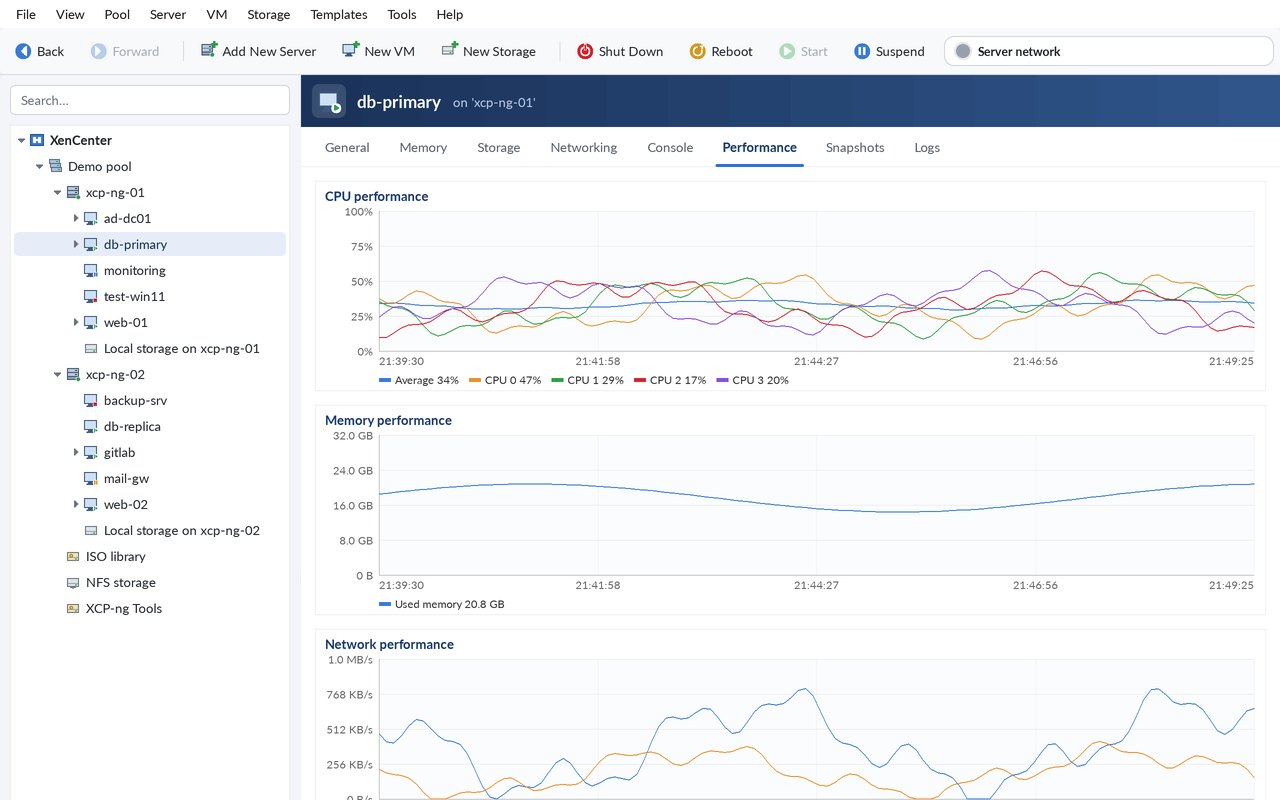
Live performance
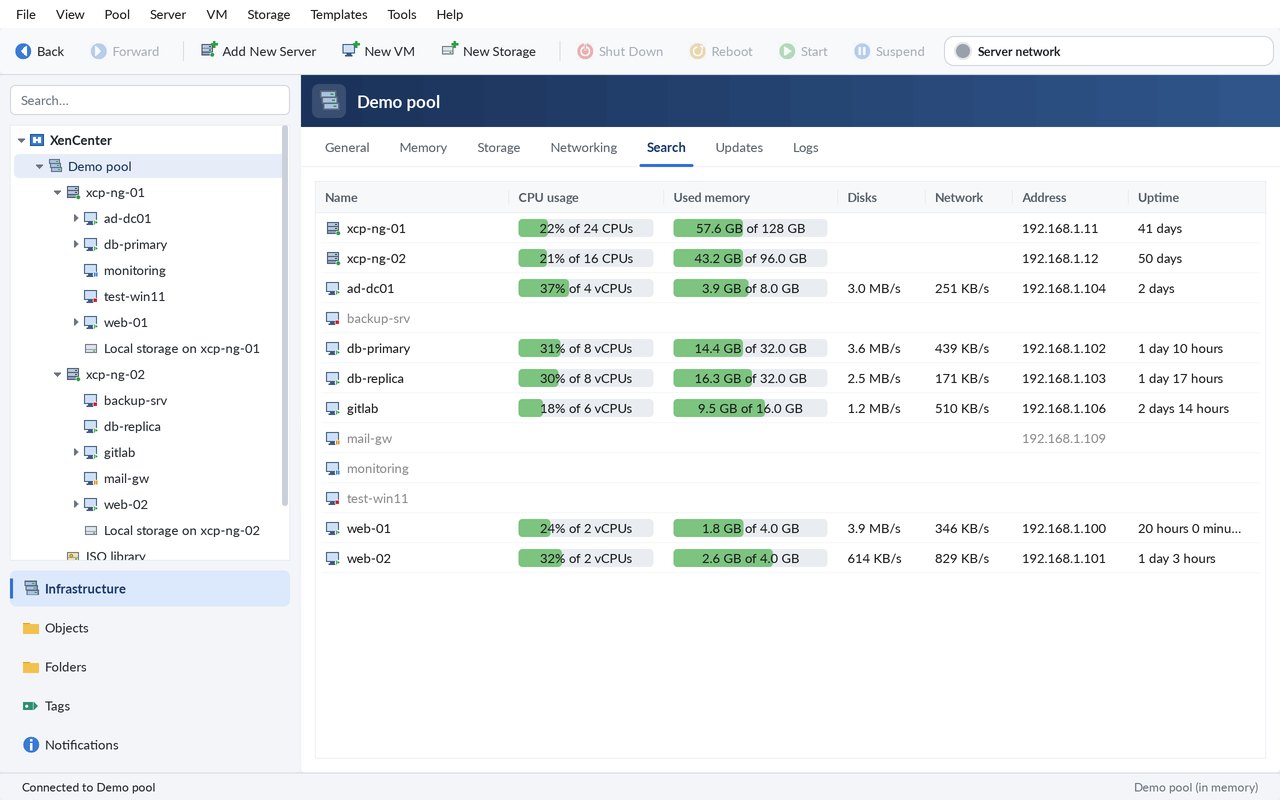
RRD graphs of CPU, memory, network and disk, updated live, and live CPU / memory per VM in Search.
VM lifecycle
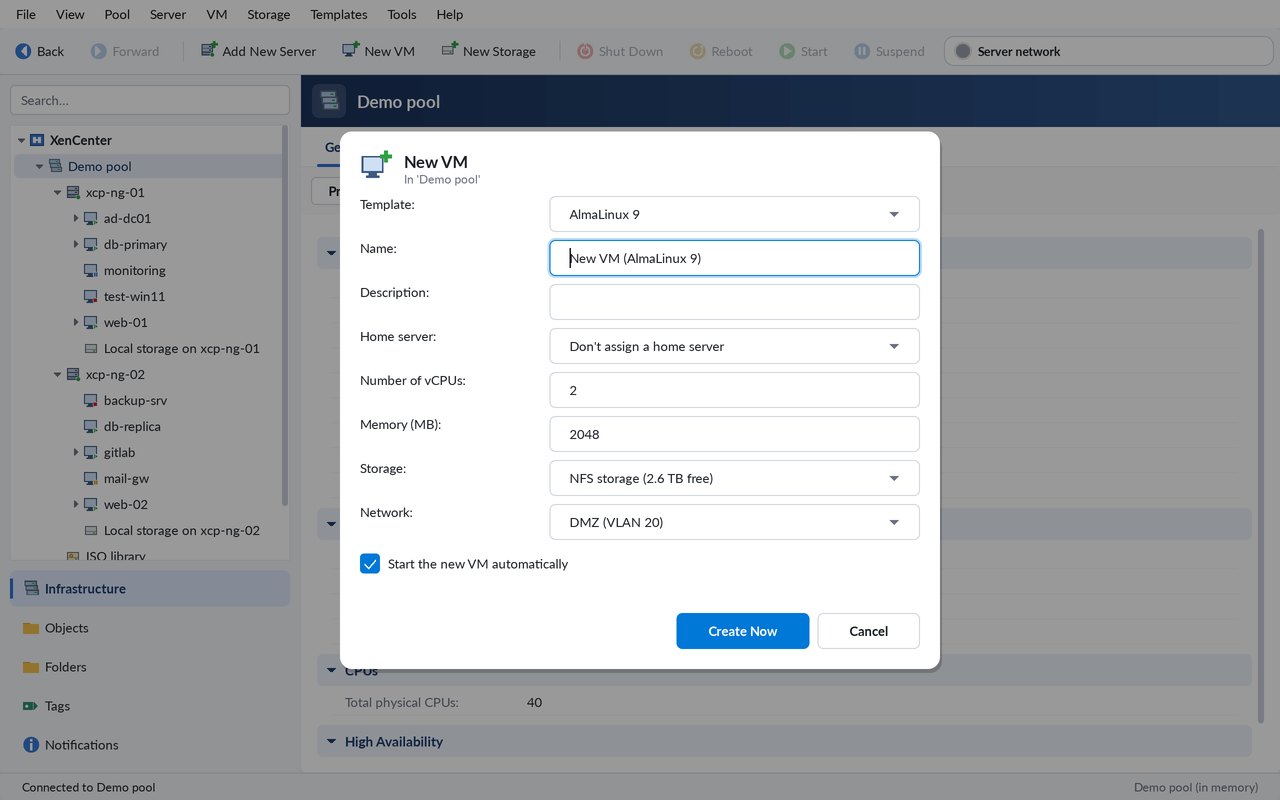
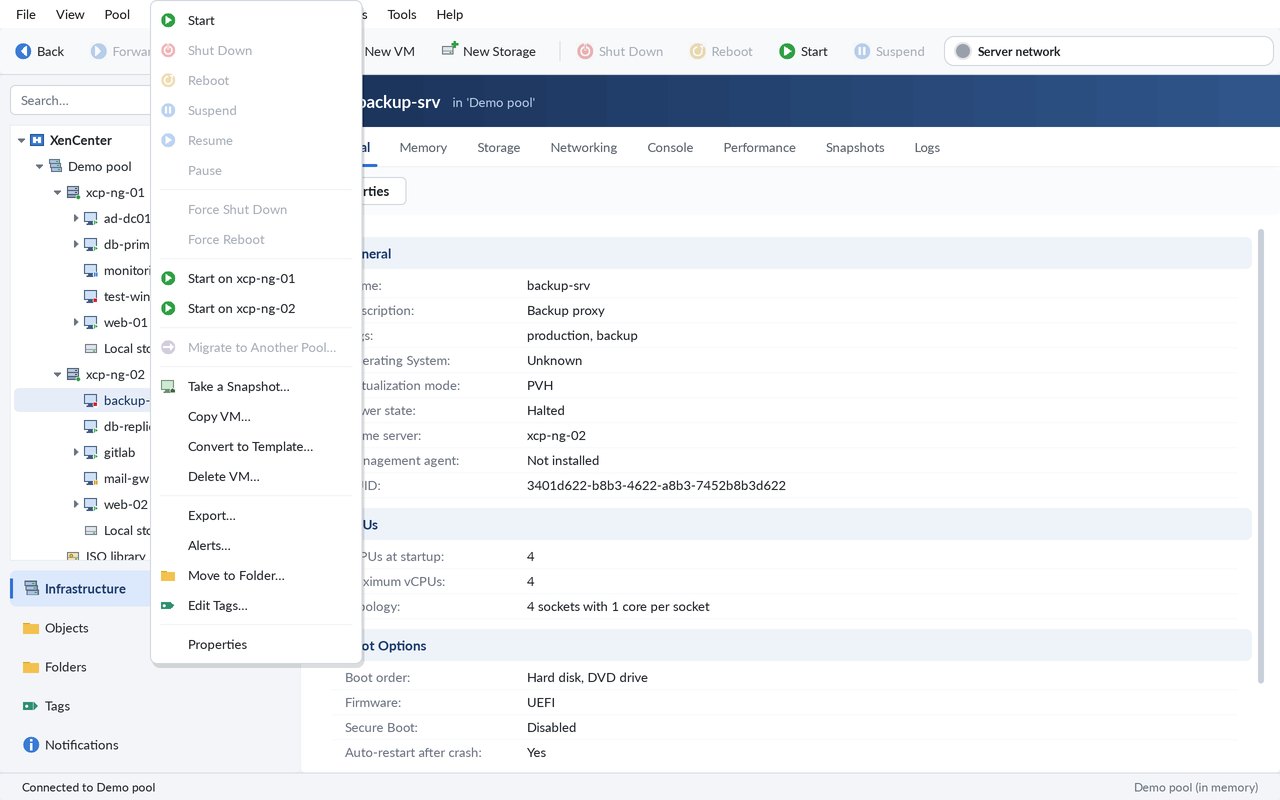
Start (on a chosen server), shut down, reboot, suspend, resume, pause, forced operations, live migration, copy, convert to template, delete, properties, New VM wizard.
Snapshots
Take a snapshot, revert to it, delete it.
Servers
Maintenance mode, reboot, shut down.
Always up to date
Changes arrive live through XAPI event.from; each action is a XAPI task with its progress. Events and XAPI alerts are written in plain words in Logs.
Much more than the basics
Grouped by what you do with your pools.
Pools & servers
New Pool, add and remove servers
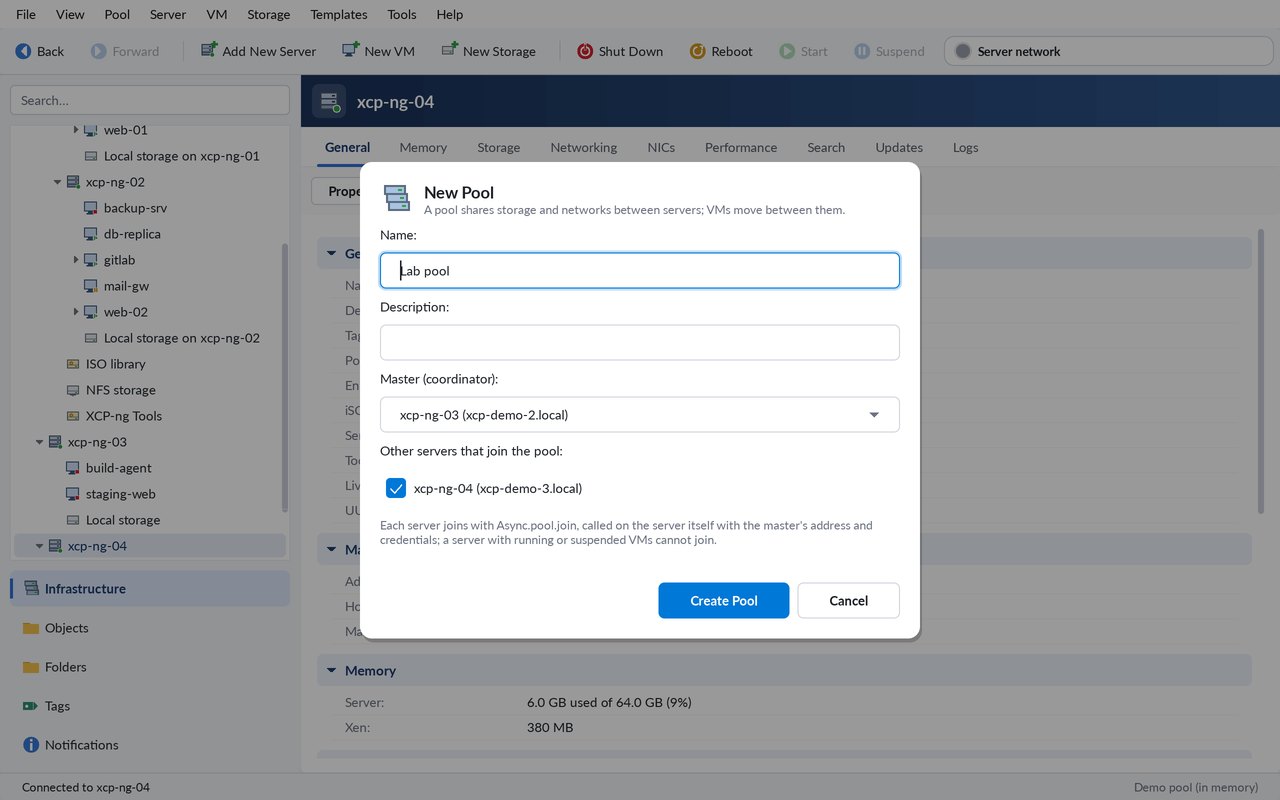
Create a pool (a name, a master, the servers that join), add a server to a pool, remove one, make a server the pool master.
Connection addresses per host
For pools behind a VPN or a NAT: the address your computer uses for each host, used first for consoles and performance figures.
Dashboard of all your pools
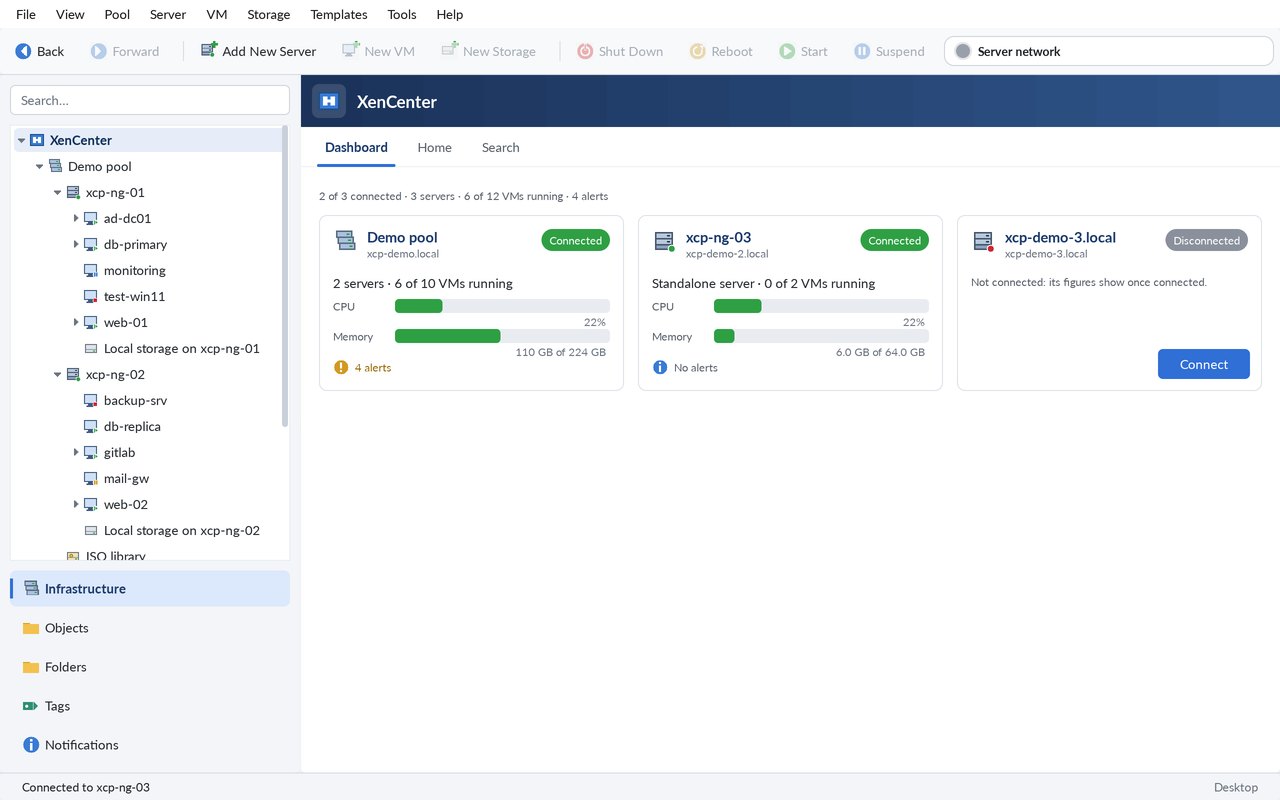
One card per pool or server: state, servers, running VMs, CPU and memory, alerts. A click opens it.
Storage & networks
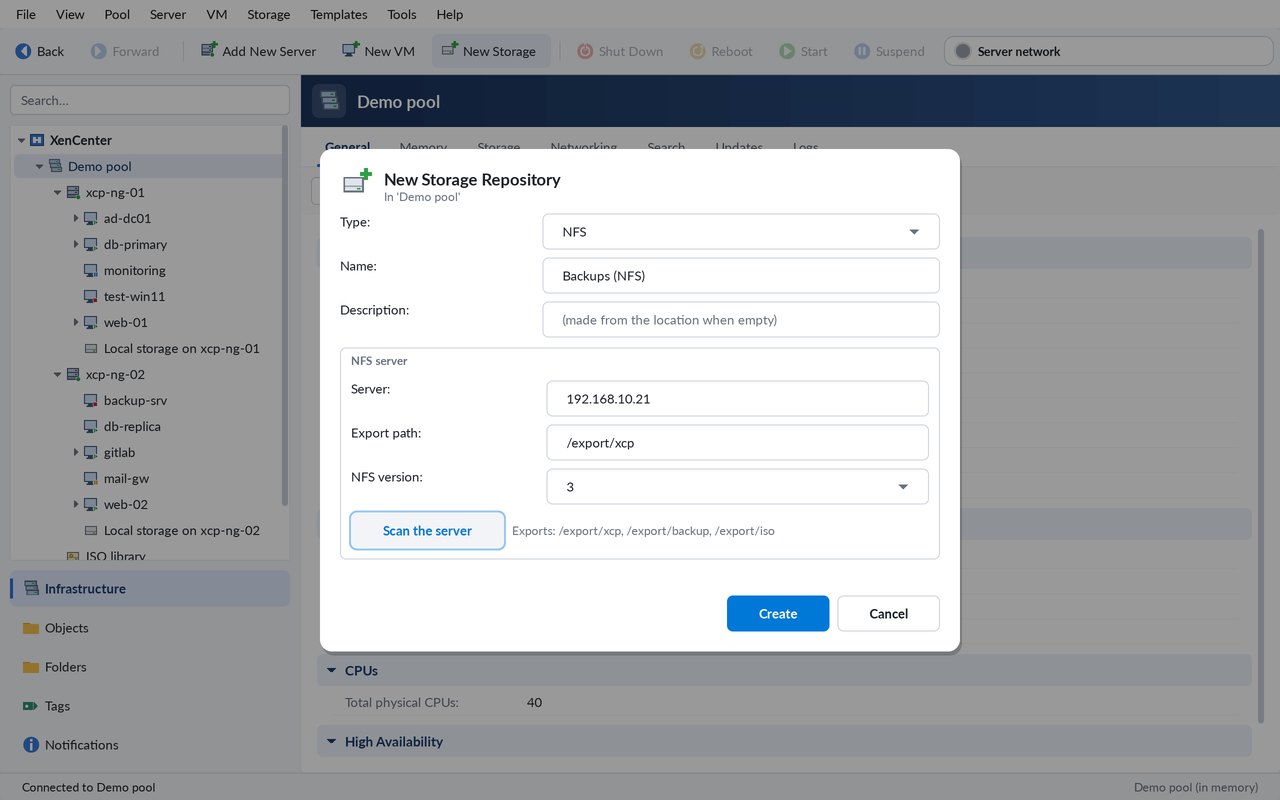
New Storage wizard
NFS, SMB/CIFS, ISO library, iSCSI with LUN scan, local EXT/LVM; then detach, reattach, forget, destroy, set as default.
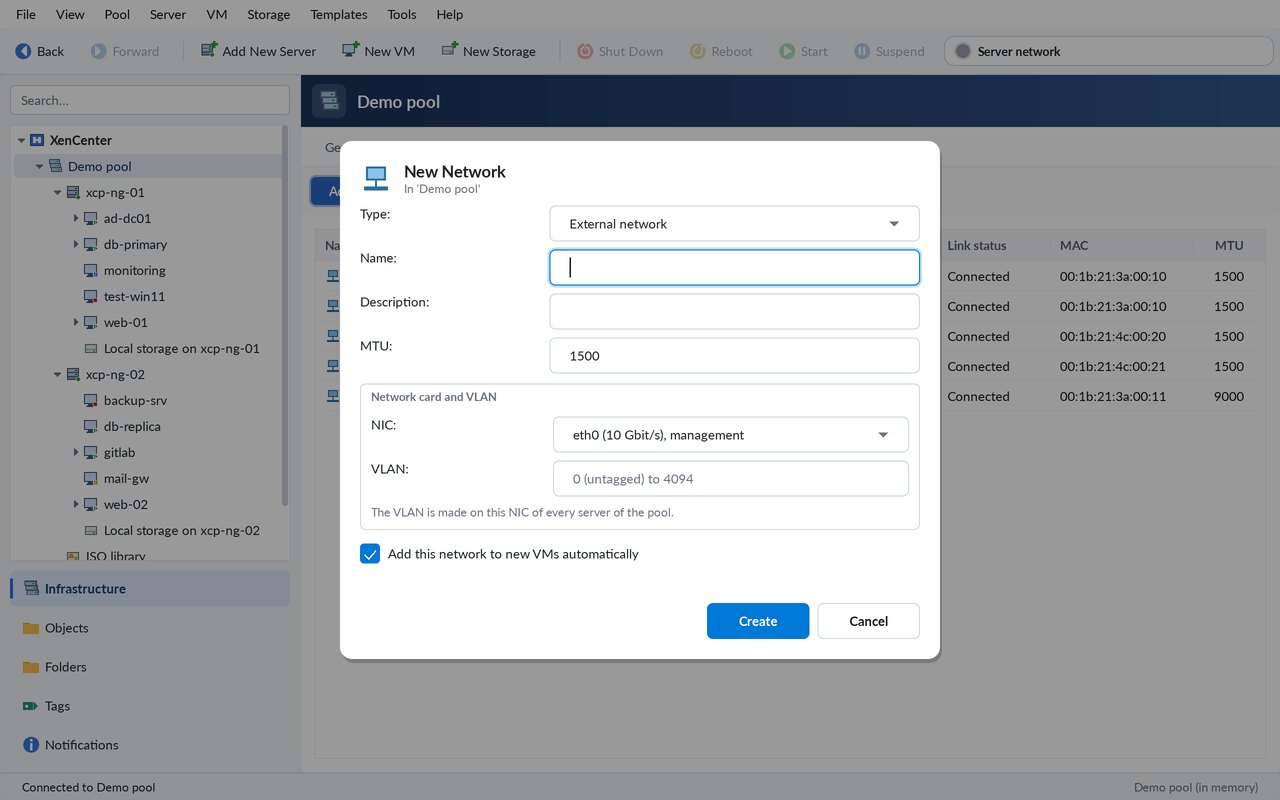
New Network wizard
External network on a VLAN, single-server private network, bond of NICs; MTU in the properties, remove.
Virtual disks
Add, attach, detach, delete, and move a disk between storage repositories, live for running VMs.
Maintenance
XCP-ng updates
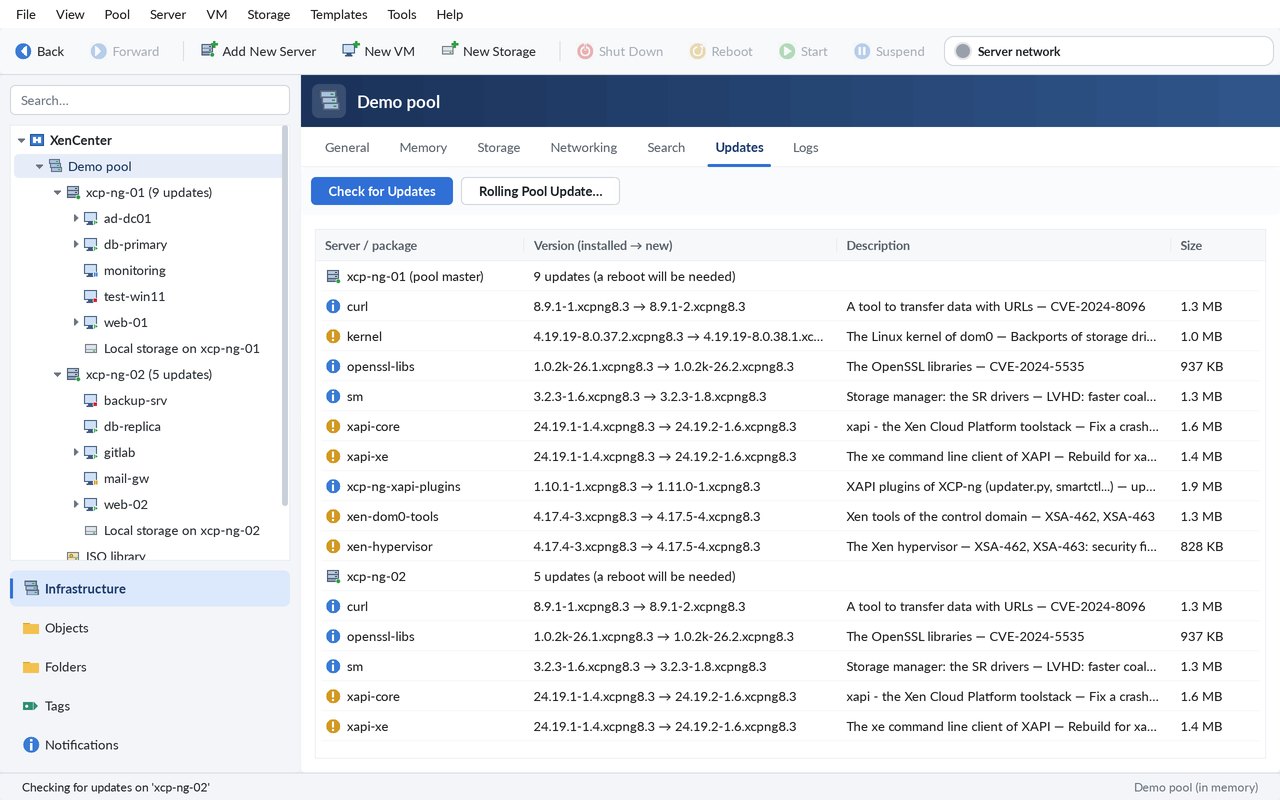
An Updates tab per pool and server, Check for Updates, Install Updates, and Rolling Pool Update: master first, maintenance mode, update, reboot, back in the pool.
Cross-pool live migration
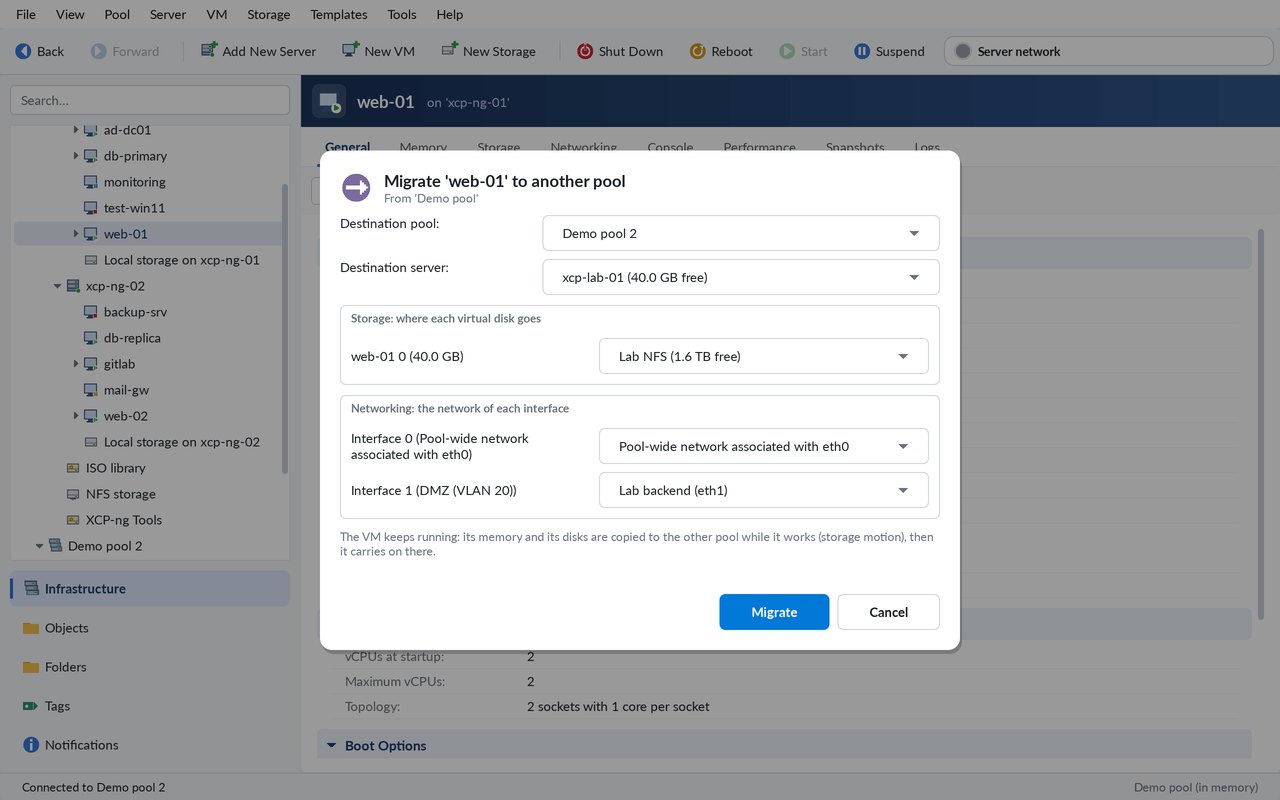
Move a running VM to another pool, its disks and networks mapped to the new pool’s.
XVA export and import
VMs saved to and loaded from XVA files, streamed to and from the disk, with progress and Cancel.
Organisation & security
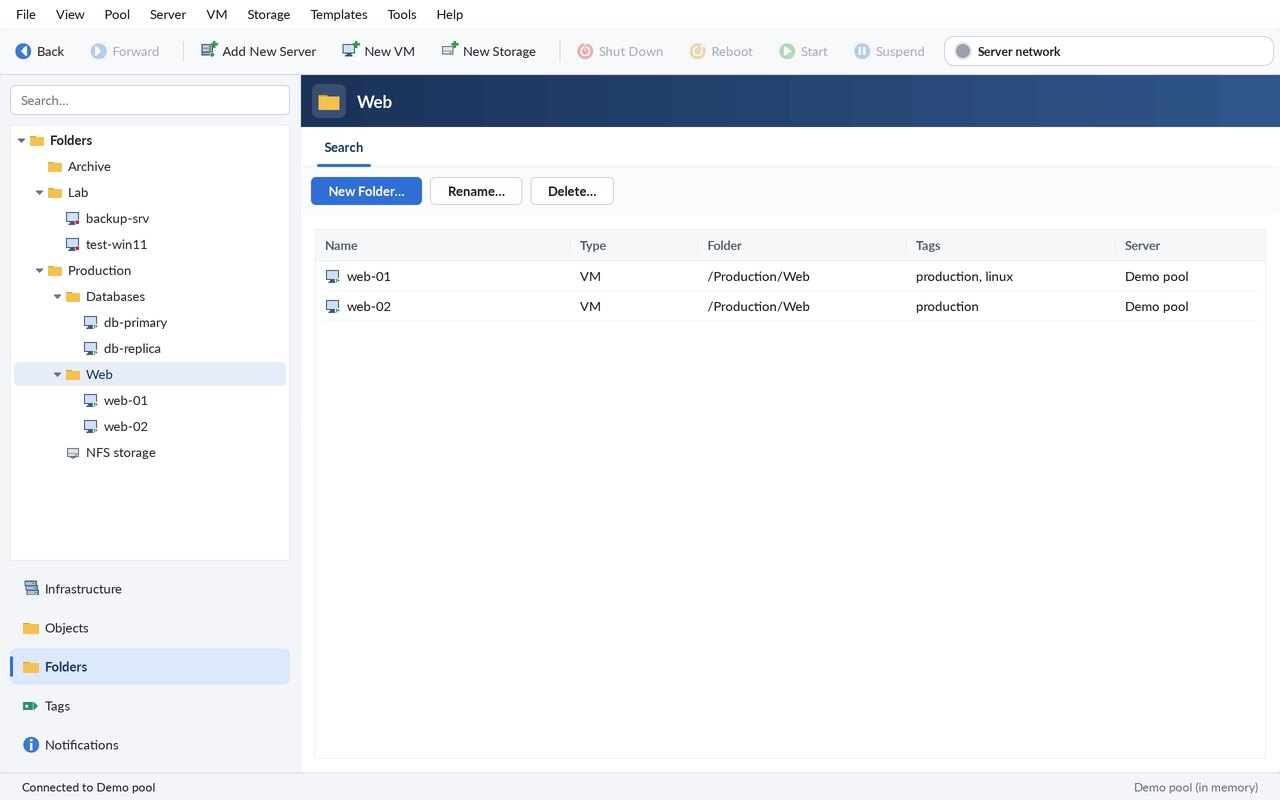
Folders and tags
Folders and Tags views, Move to Folder, Edit Tags: kept on the server, as XenCenter keeps them.
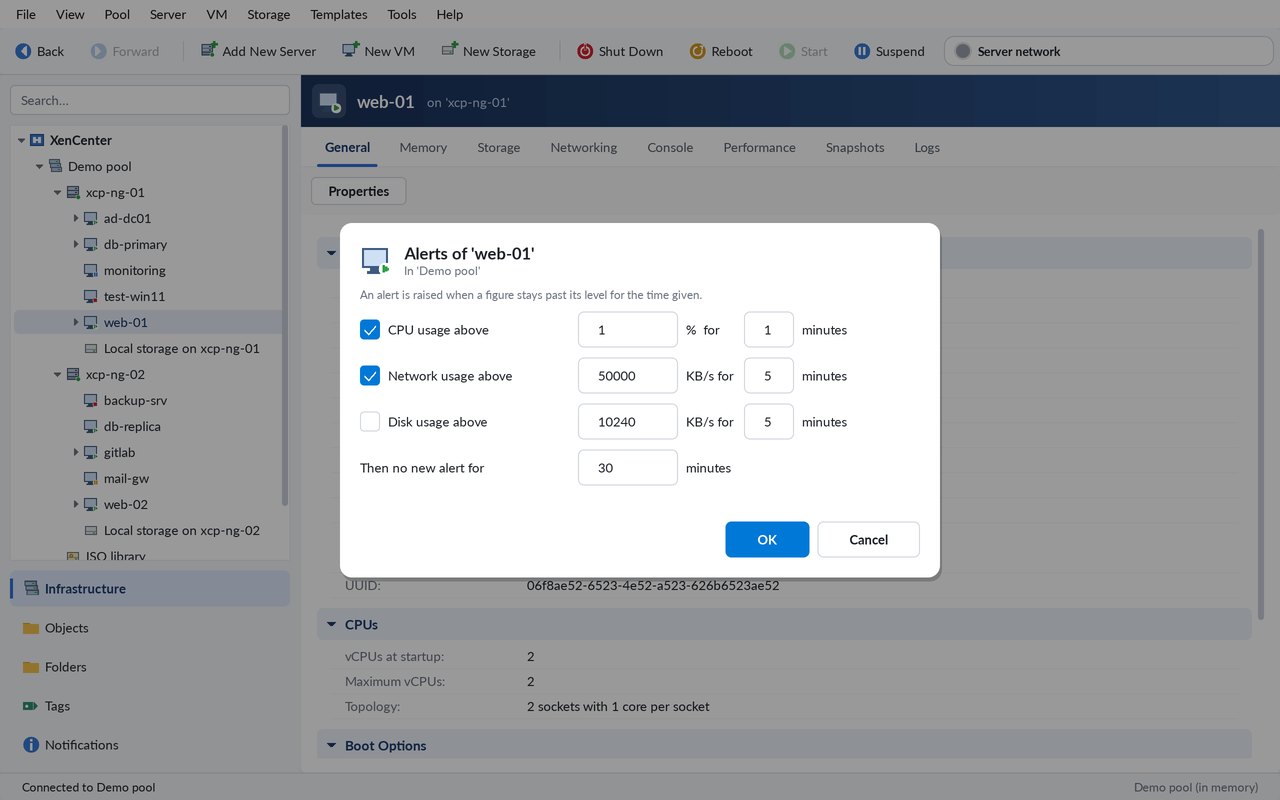
Configurable alerts
CPU, network, disks, free memory, storage use and throughput, and the pool’s e-mail notifications.
Encrypted saved passwords
Saved passwords are never kept in clear, and an optional master password is asked at start.
Screenshots
Real screenshots of the app, taken on its demo pool.
Connect to your servers
The app talks to XAPI, the API of XCP-ng and XenServer.
HTTP and HTTPS
Connect to the pool master over HTTP, or HTTPS on the desktop.
SSH tunnel
Reach XAPI through an SSH tunnel to the host.
In the browser
Through the JumPHP runtime, a small program on your computer: the app connects from your own network (LAN, VPN), with your consent.
Behind a VPN or NAT
The consoles of a pool behind a VPN or a NAT are reached through the names you use, not only through XAPI’s internal addresses.
Try it now, without a server
The app comes with a demo pool: two servers (xcp-ng-01, xcp-ng-02), VMs such as db-primary and web-01, storage and networks. Open it with the “Open the demo pool” button on the home page, or File > Open the Demo Pool, and try everything: consoles, graphs, migrations, snapshots.
Open the app and the demo pool →Questions
Is it free?
Yes. The app is free, in the browser and on the desktop.
Do I need a server to try it?
No. The built-in demo pool lets you try every feature without any server.
Which servers does it manage?
XCP-ng and XenServer pools, through their API, XAPI.
How does the browser reach my servers?
Through the JumPHP runtime, a small program on your computer: with your consent, the app connects from your own network (LAN, VPN).
Is the console a real one?
Yes: a VNC client written in PHP shows the VM’s screen and sends your keyboard and mouse.
Is it the official XenCenter?
No. It is an independent port of XenCenter / xenadmin, not affiliated with Cloud Software Group or Vates.
Can it update XCP-ng?
Yes. It checks and installs the updates of a pool or a server, and runs a Rolling Pool Update: one server after the other, the master first.
Are my saved passwords safe?
They are encrypted, never stored in clear, and you can protect them all with a master password asked when the app starts.